 FuelMetric Pro
User guide · Chapter 5 of 8
Reports
Save the Daily Stock Report and receipt reports as PDF and Excel.
Reports are part of Pro. Each report shows the company, site and address from Settings, and signature boxes for Prepared, Checked and Approved.
Daily Stock Report
- Open Reports › Daily Stock Report.
- Choose the date next to Stock on. Each tank shows its reading on that day, or the last one before it (carried forward).
- Choose Save PDF or Save Excel and pick the folder. On Android the buttons are Share PDF and Share Excel.
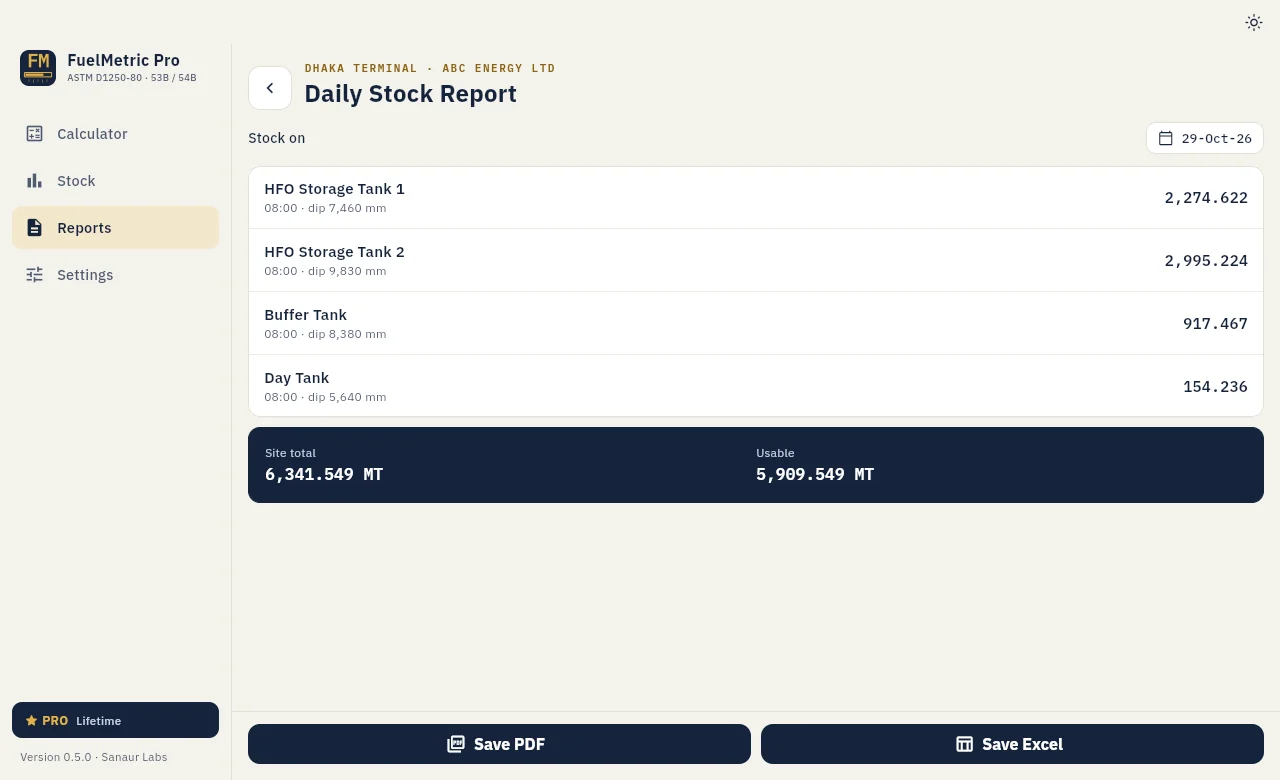
The PDF lists, per tank, the time, dip, temperature, observed density, density at 15 °C, VCF, observed and net volume, WCF, total, dead stock and usable stock, with the site total.
Receipt reports are made from each receipt; see Receipts and transfers.