 FuelMetric Pro
User guide · Chapter 7 of 8
Pro and your licence key
What Pro adds, how to buy it and how the licence key works.
Free and Pro
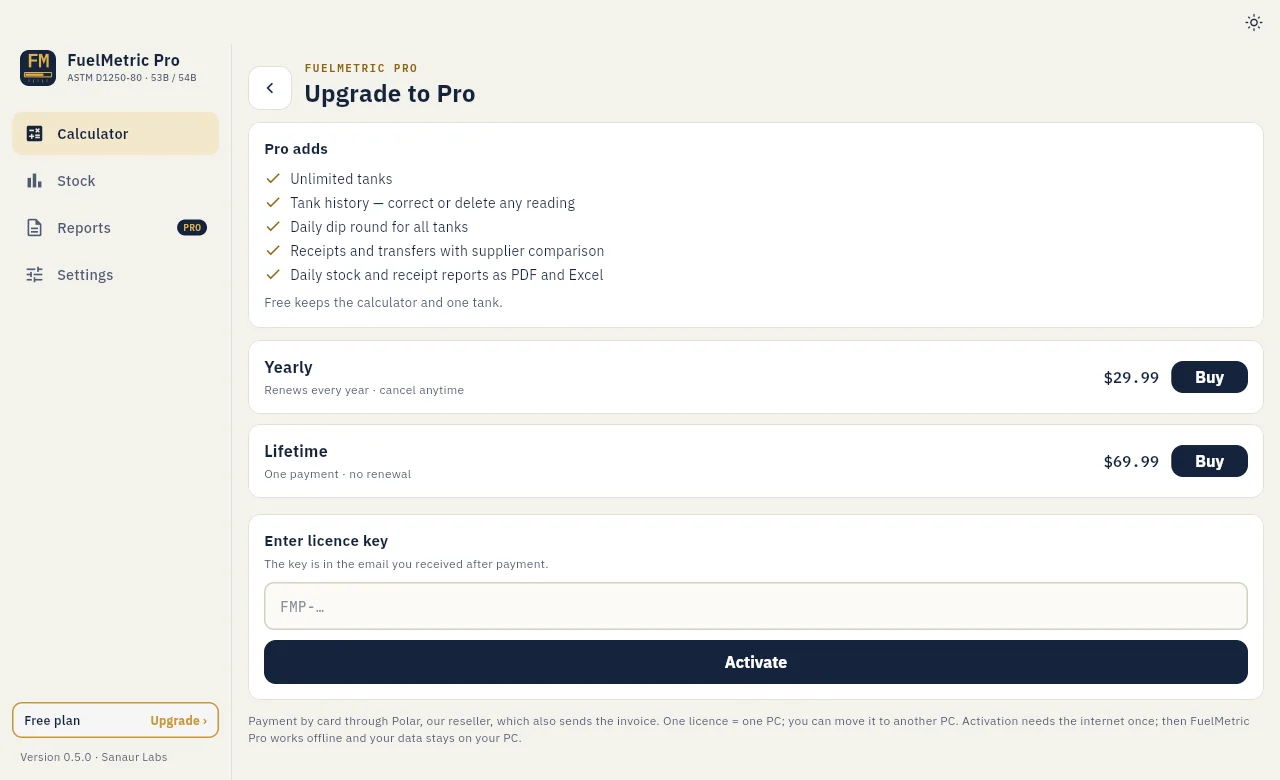
The free app keeps the calculator and one tank with its chart and dips. Pro adds unlimited tanks, the daily dip round for all tanks, tank history with corrections, receipts and transfers, and the PDF and Excel reports.
Windows
- Choose Upgrade at the foot of the sidebar, then Buy for Yearly or Lifetime. You can also buy on the pricing page.
- Pay on the checkout page. The licence key arrives by email.
- In the app, enter the key under Enter licence key and choose Activate. Activation needs the internet once; after that FuelMetric Pro works offline.
One licence works on one PC at a time. To move it, choose Deactivate on this PC on the old PC, or use the customer portal, then activate the key on the new PC. The customer portal also has your invoices and lets you cancel a Yearly licence.
When the PC is online, the app confirms the key about once a month. A Yearly key keeps working offline for a year after the last check.
Android
Pro on Android is bought in the app through Google Play (Monthly, Yearly or Lifetime) and is linked to your Google account. On a new phone, choose Restore purchases. Monthly and Yearly plans are managed in Google Play; the app's Manage subscription button opens the right page.